

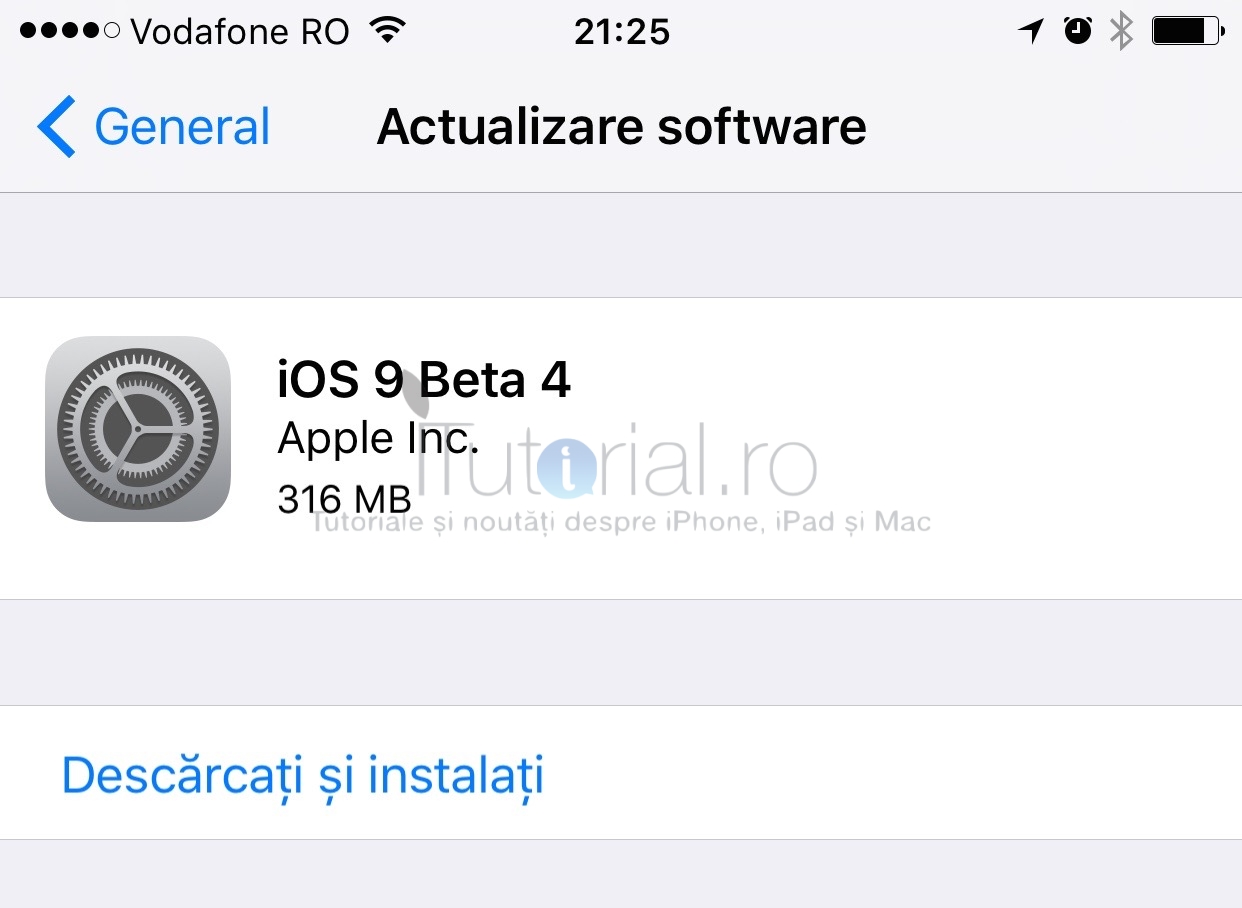
La aproape două săptămâni de la lansarea iOS 9 beta 3 pentru dezvoltatorii de aplicații, compania Apple a publicat cea de-a patra actualizare beta a celei mai recente versiuni majore a sistemului de operare. iOS 9 beta 4 este deci disponibil și poate fi instalat pe toate dispozitivele iPhone 4s (sau mai recent), iPad 2 (sau mai recent), iPad mini (sau mai recent) și iPod touch generația a 5-a, dar numai de către dezvoltatorii de aplicații. Noutățile vor fi anunțate mai jos, pe măsură ce vor fi descoperite.
Actualizarea iOS 9 beta 4 are build-ul 13A4305g, și este disponibilă pentru descărcare atât în Apple Developer Center, cât și prin sistemul Actualizare software din Configurările iOS. Alături de această versiune a iOS, dezvoltatorii mai pot descărca de pe portalul Apple și Xcode 7 beta 4 – cea mai recentă versiune a programului de dezvoltare a aplicațiilor, care include SDK-ul și API-urile iOS 9 / OS X 10.11.
iOS 9 beta 4 continuă efortul companiei Apple de a rezolva problemele de funcționare ale acestei actualizări, iar dezvoltatorii ar trebui să sesizeze pe alocuri îmbunătățiri semnificative, ținând cont că programul public de testare al iOS 9 este disponibil de două săptămâni. Această actualizare o succede pe cea de la începutul lunii, care introducea noua aplicație Muzică și Apple Music.
Prezentat în urmă cu exact o lună, pe 8 iunie, la WWDC 2015, iOS 9 este o versiune majoră a sistemului de operare pentru iPhone și iPad în care Apple s-a concentrat pe îmbunătățirea inteligenței artificiale, permițând dispozitivelor iOS să învețe tabieturile utilizatorilor pentru a oferi recomandări inteligente privind aplicațiile pe care ar dori să le folosească la un moment dat, persoanele pe care să le contacteze și nu numai. Siri stă în centrul tuturor îmbunătățirilor și recomandărilor inteligente, iOS 9 învățând asistentul chiar și să creeze mementouri contextuale și să răspundă unor comenzi date în limbajul uzual.
În plus, iOS 9 mai vine cu îmbunătățiri semnificative în privința aplicațiilor Mail, Hărți, Notițe, adaugă o nouă aplicație – Noutăți – și îmbunătățește productivitatea utilizatorilor de iPad. În cazul tabletelor, trebuie menționat că Apple a inclus în sfârșit opțiunea de a folosi două aplicații simultan, dar și de a vizualiza clipuri video sau filme în timp ce folosești alte aplicații decât cele în care sunt redate.
Dar cel mai important, iOS 9 este o actualizare canalizată pe îmbunătățirea performanțelor și a experienței de utilizare. Compania Apple a inclus în iOS 9 o grămadă de caracteristici noi în aplicațiile existente, care răspund solicitărilor făcute de utilizatori de ani de zile. Mai mult, ea a încercat să reducă dimensiunea aplicațiilor și actualizărilor iOS, dar și să îmbunătățească autonomia bateriei cu câteva caractersitici și includerea modului Consum redus.
iOS 9 beta 4 este disponibil momentan numai pentru dezvoltatorii de aplicații, utilizatorii de rând putând testa în continuare versiunea de acum două săptămâni a iOS 9. Prin urmare, dacă ești înscris în programul public de testare, să nu cauți această actualizare, deoarece, așa cum era de așteptat, ea nu va fi disponibilă decât pentru dezvoltatori.
- Citește și: Cum să instalezi iOS 9 beta gratis pe iPhone sau iPad (fără să fii dezvoltator) – Tutorial
iOS 9 beta 4 – iată tot ce aduce nou
- Aplicația însoțitoare pentru Apple Watch a fost redenumită. Din nou… Acum ea poartă numele de „Apple Watch” (în versiunea precedentă era „Ceas”).
- Pictograma pentru notificări din Configurări are acum un fundal roșu, fiind mai ușor de distins de cea pentru centrul de control.

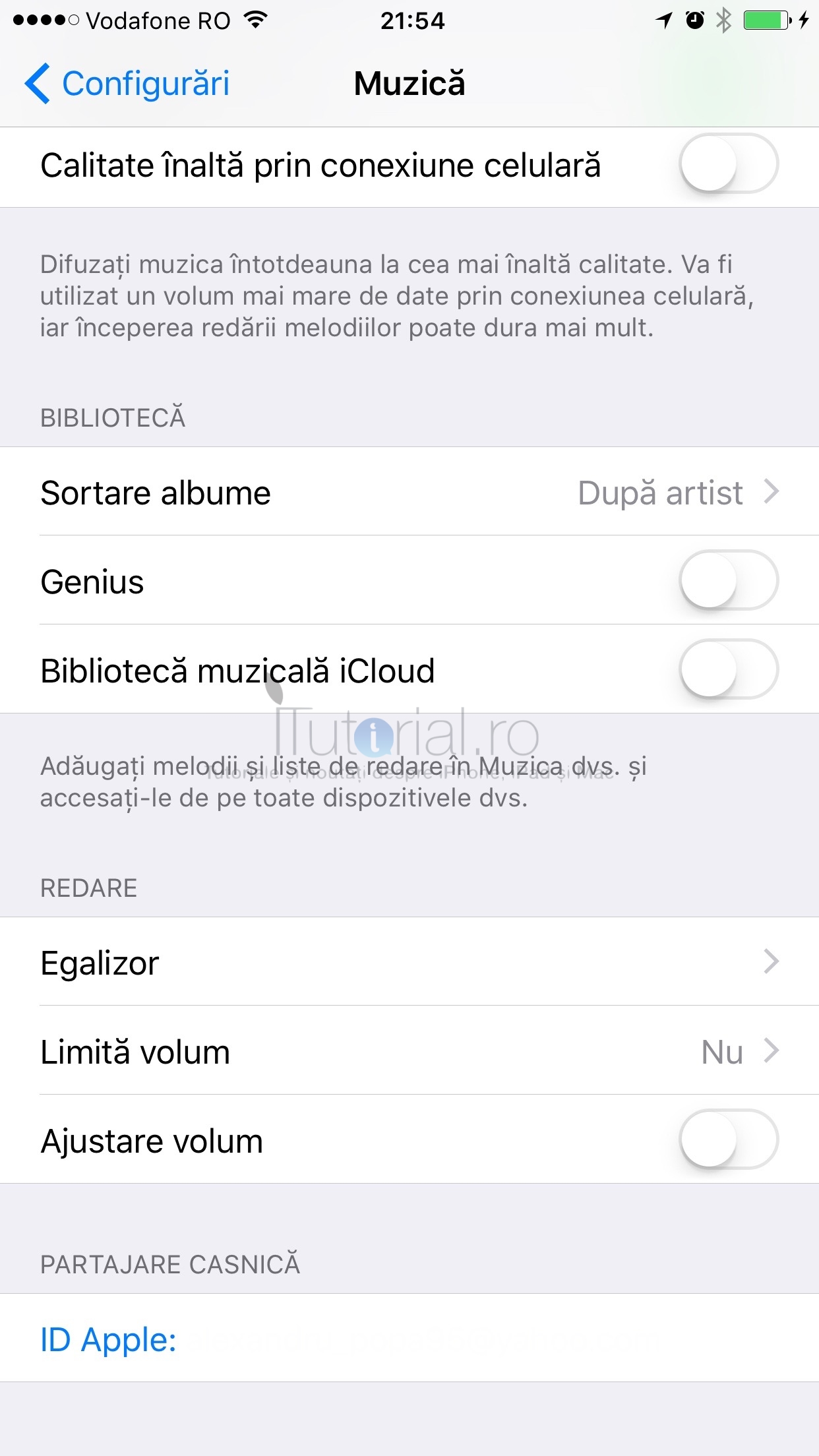
- A fost reintrodusă opțiunea Partajare casnică (nu a fost disponibilă până acum în iOS 8.4 și nici în iOS 9 beta). Tot în meniul Muzică a fost mutată configurarea Calitate înaltă prin conexiune celulară.
- Au fost aduse diferite îmbunătățiri de design în aplicația Muzică.

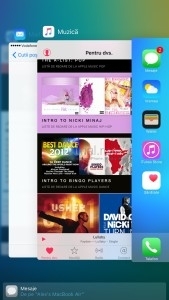
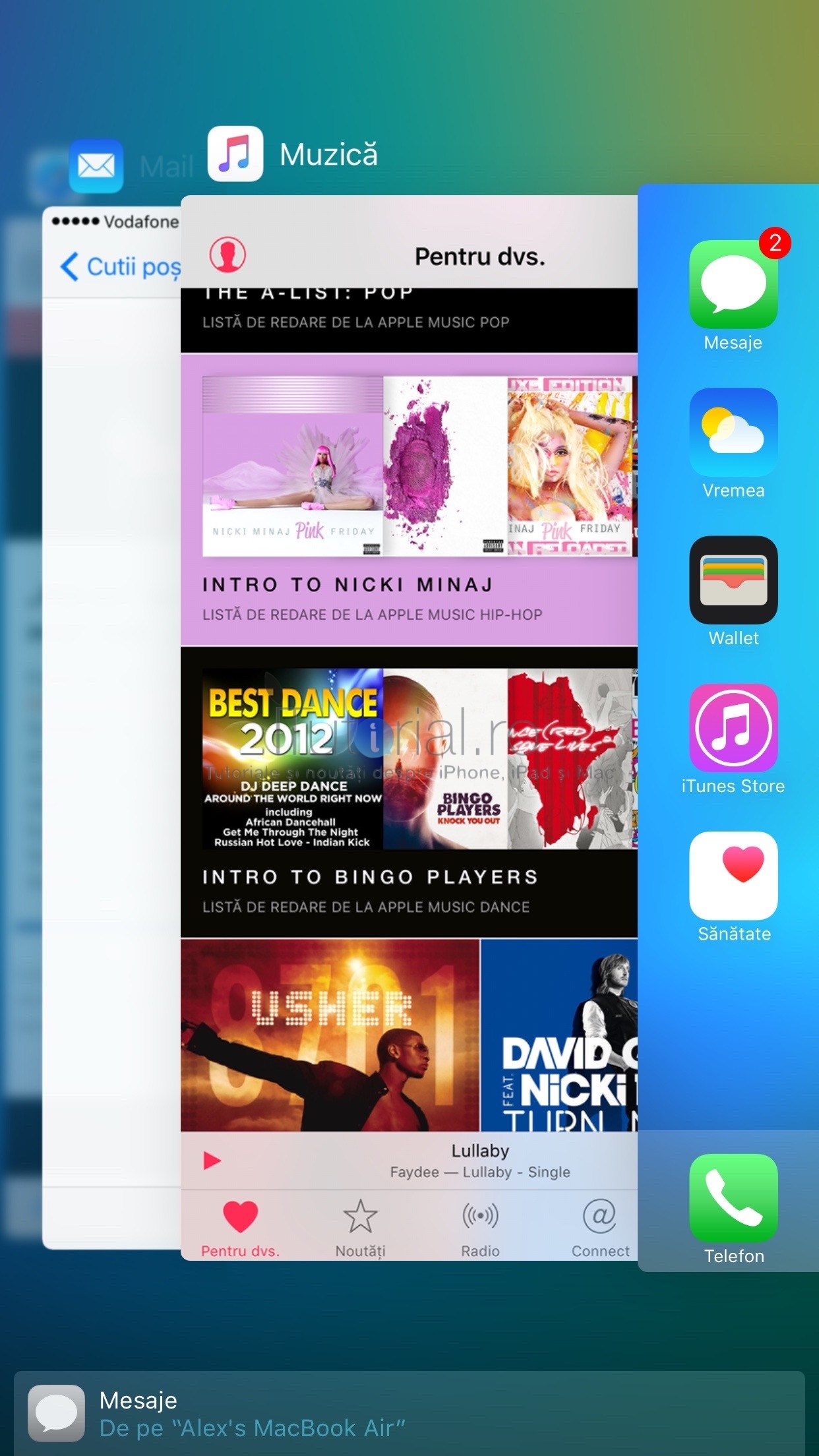
- Handoff nu mai este afișat sub formă de card în comutatorul de sarcini. În schimb, Apple a optat pentru un banner afișat sub aplicațiile deschise, din acesta utilizatorii putând accesa rapid aplicația deschisă pe un dispozitiv compatibil, conectat în același cont de iCloud.
- iOS 9 beta 4 acceptă iPod touch generația a 6-a, ceea ce înseamnă că dezvoltatorii utilizatori ai noului produs Apple vor putea descărca această versiune beta de iOS pe dispozitivele lor. Utilizatorii înscriși în programul public de testare al iOS 9 beta, nu vor putea în schimb.
- Aplicația Podcasturi acceptă acum caracteristica imagine în imagine a iOS 9, permițându-le utilizatorilor să urmărească podcasturi video în timp ce accesează de pe iPad alte aplicații. Build-ul acestei aplicații este și el mai recent decât în versiunea anterioară a iOS 9 (1034, față de 1017.1).
- Dintr-un motiv sau altul, aplicația Mail nu mai este disponibilă în limba română (probabil este o eroare ce va fi rezolvată în viitoarea versiune).
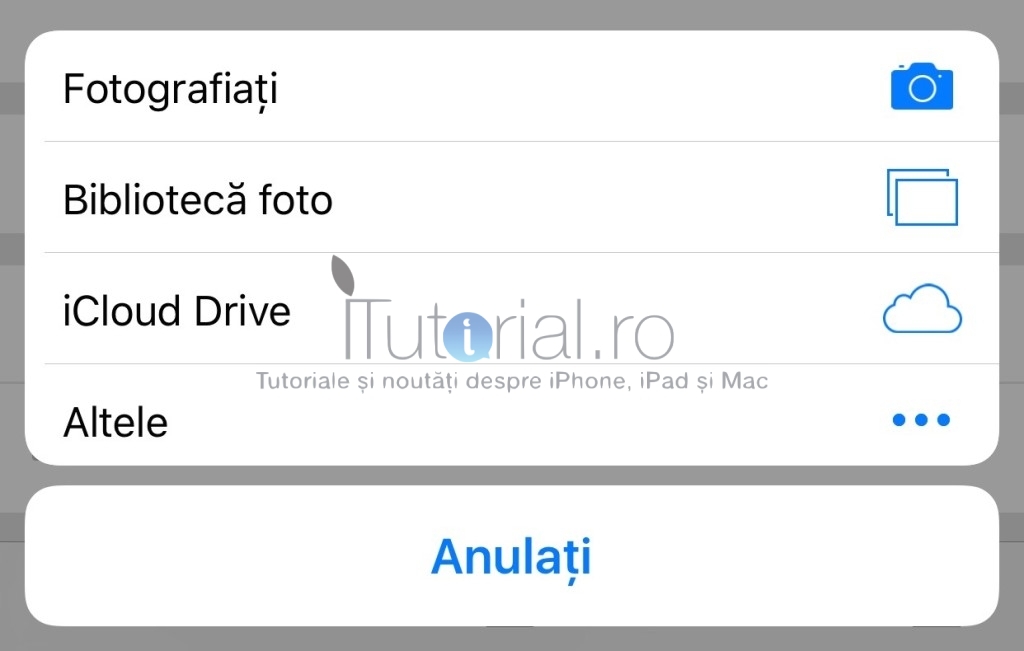
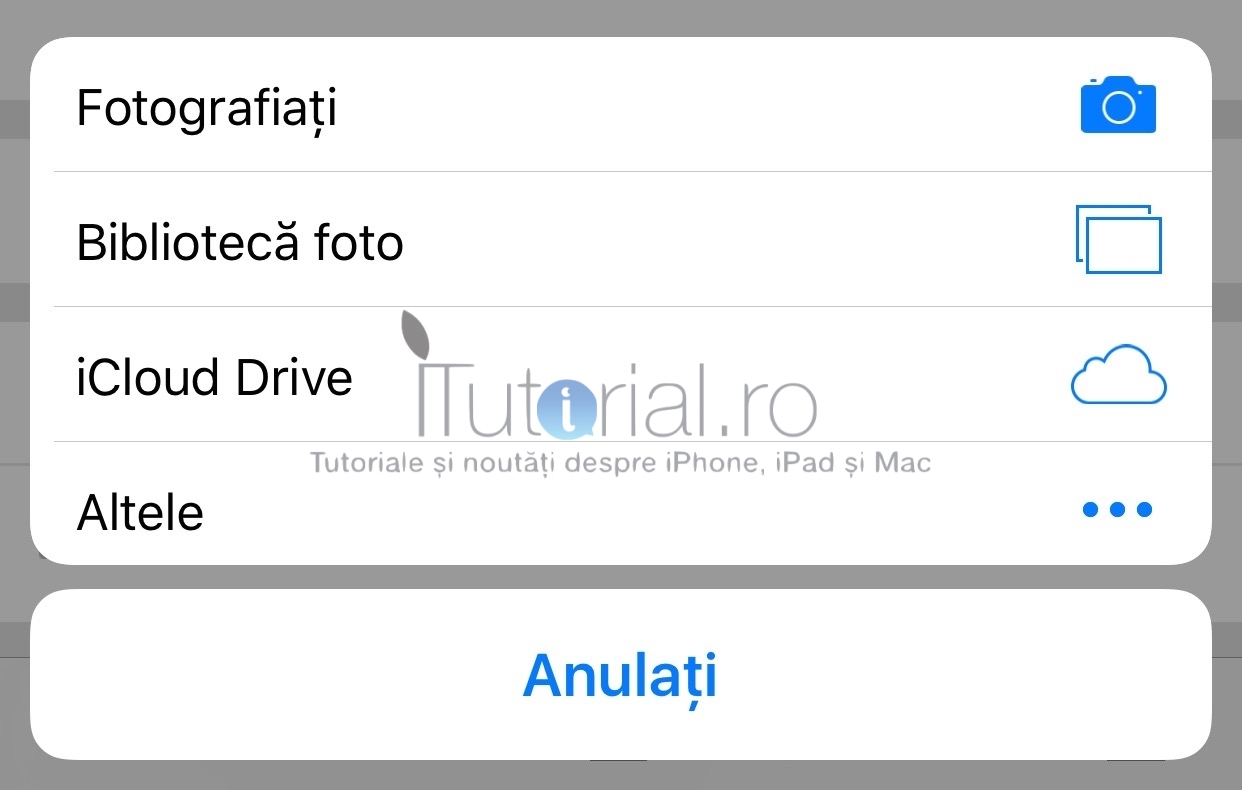
- A fost inclus un nou selector de imagini pentru încărcarea lor pe web din Safari (acesta oferă acces inclusiv la imaginile stocate în iCloud Drive sau servicii de stocare similare).
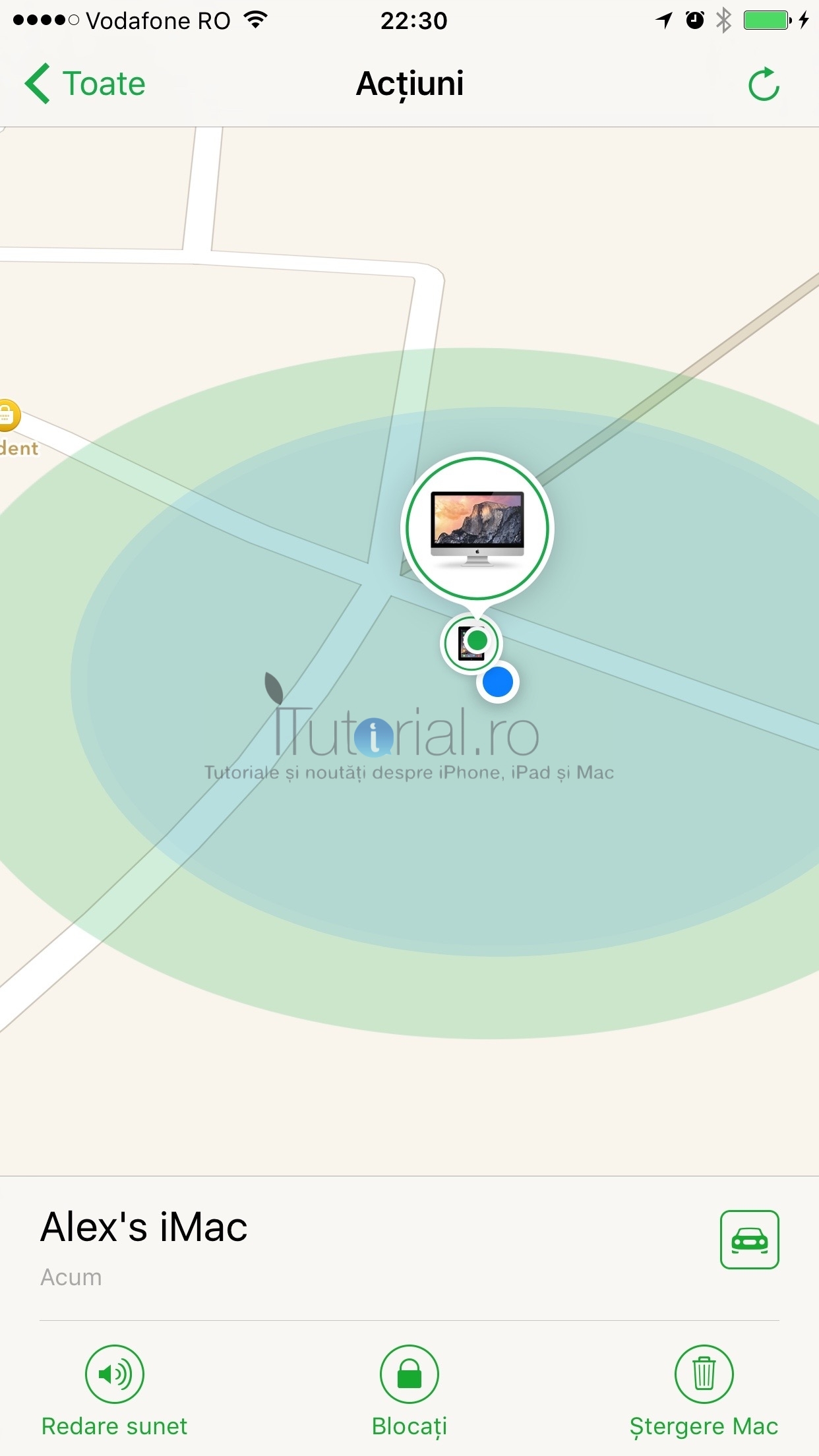
- Aplicația Găsire iPhone are o nouă animație la selectarea unui dispozitiv, pentru a efectua unele acțiuni.

- Au fost adăugate notificări pentru dispozitivele HomeKit – acestea vor putea trimite utilizatorilor alerte în legătură cu diferite acțiuni sau informații înregistrate din casă.
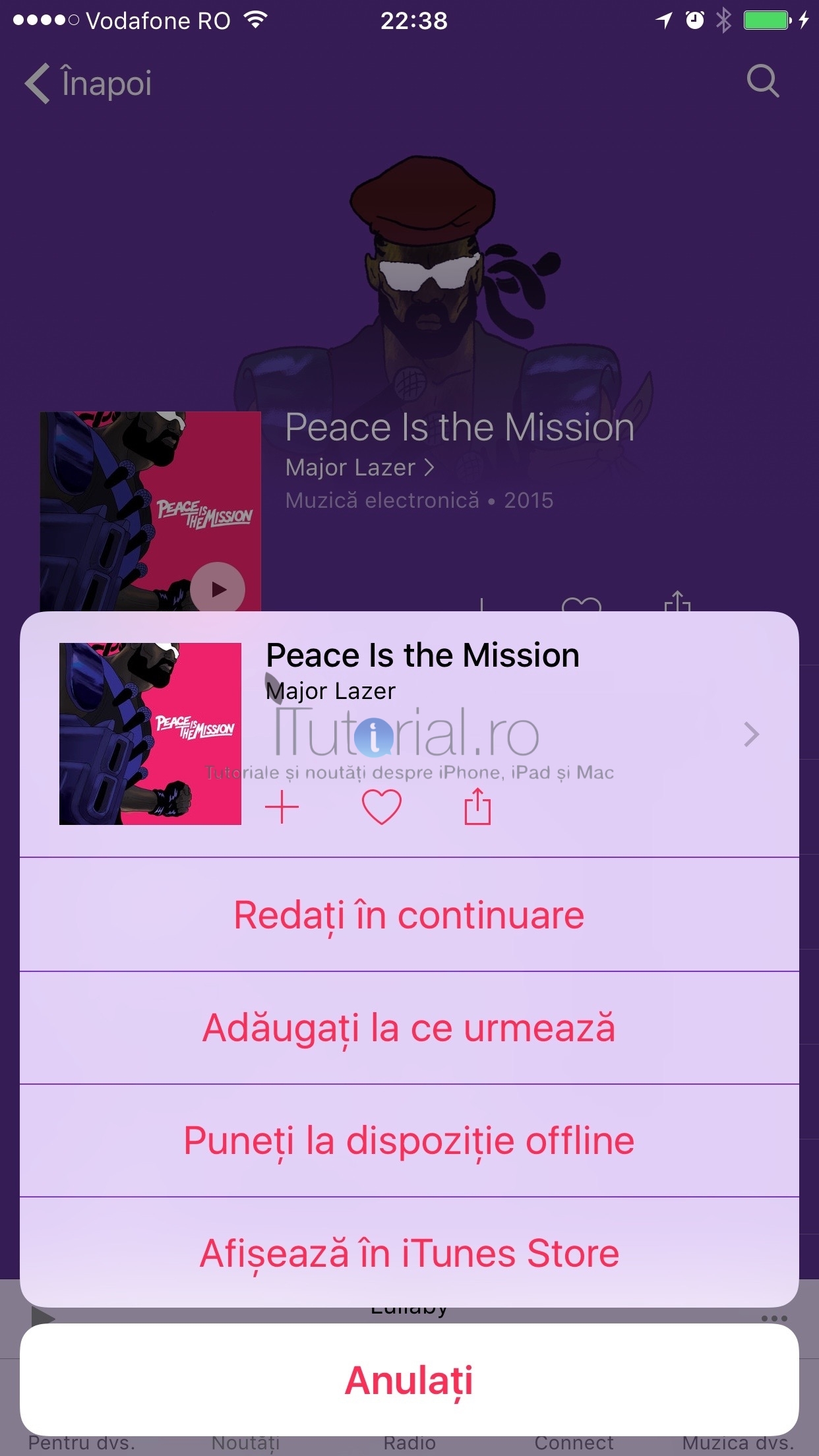
- Pictogramele albumelor la accesarea meniului „Mai mult” sunt mai mari. De asemenea, aceste meniuri includ opțiunea de partajare, apreciere (inimă) și salvare pentru redare offline a albumelor sau pistelor.

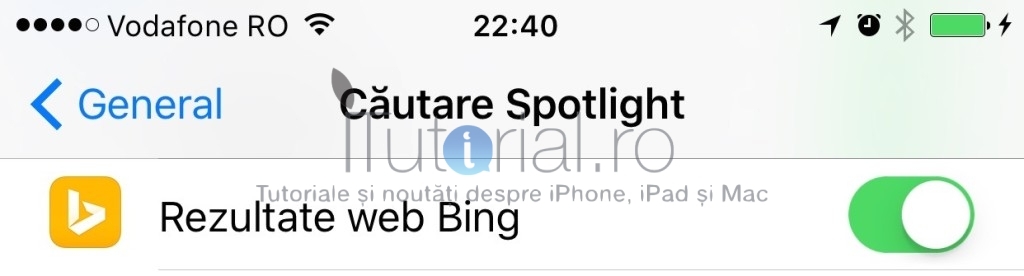
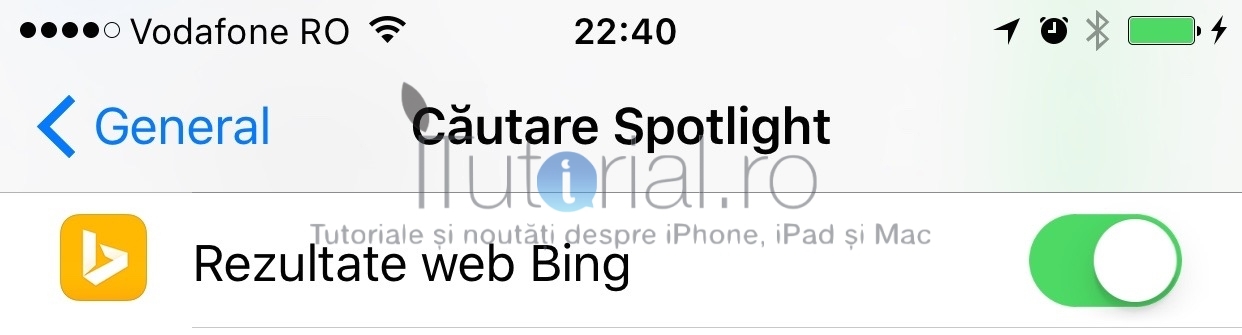
- A fost inclusă opțiunea de eliminare a rezultatelor web Bing din Căutare Spotlight.
- Butoanele de volum pot fi din nou folosite pentru înregistrarea de poze în aplicația Cameră (în versiunea precedentă de iOS 9 exista o eroare ce prevenea acest lucru).
- Indicatorul de activitate din bara de stare a fost mutat în partea dreaptă, atunci când deschizi o aplicație dintr-o altă aplicație și apare butonul „Înapoi la [nume aplicație]”. Mulțumesc Lucian!

- Au fost actualizate pictogramele iPhone și Apple Watch din widgetul pentru baterie.
- Aplicația News este complet tradusă în limba română, deși nu este disponibilă în România. Mulțumesc Daniel!



iOS 9 beta 4 – notițele lansării
Introduction
iOS SDK 9.0 provides support for developing iOS apps. It is packaged with a complete set of Xcode tools, compilers, and frameworks for creating apps for iOS and OS X. These tools include the Xcode IDE and the Instruments analysis tool, among many others.
With this software you can develop apps for iPhone, iPad, or iPod touch running iOS 9. You can also test your apps using the included Simulator, which supports iOS 9. iOS SDK 9.0 requires a Mac computer running OS X v10.10.3 (Yosemite) or later.
This version of iOS is intended for installation only on devices registered with the Apple Developer Program. Attempting to install this version of iOS in an unauthorized manner could put your device in an unusable state.
For more information and additional support resources, visit http://developer.apple.com/ programs/ios/ .
Bug Reporting
For issues not mentioned in the Notes and Known Issues section, please file bugs through the Apple Developer website (https://developer.apple.com/ bug-reporting/ios/). Additionally, you may discuss these issues and iOS SDK 9.0 in the Apple Developer Forums: http://devforums.apple.com. To get more information about iCloud for Developers, go to http://developer.apple.com/ icloud.
Notes and Known Issues
The following issues relate to using iOS SDK 9.0 to develop code.
AirPlay
Known Issue
AirPlay connectivity issues with Apple TV.
Workaround:
If the Apple TV and the sender device are not on the same network, connect AirPlay once while on the same network, then try again.
Reboot both the Apple TV and the sender device, then try again.
App Store
Known Issue
Users might be prompted twice for credentials on the first In-App Purchase.
Apple ID
Known Issues
iForgot links may work intermittently.
Workaround: Please try again.
If you change your primary email address on appleid.apple.com, you may not be able to authenticate on device (including signing out of Find My iPhone).
Workaround: First, change your email back to the previous email on appleid.apple.com. Then sign out and back in on your device.
Apple Pay
Known Issue
You cannot present the Apple Pay sheet if you request
PKAddress Field Namefor your required shipping address fields.Workaround: Use
PK Address FieldAllif you require a shipping address, or don’t requirePKAddress FieldName.AVFoundation
Notes
AVQueueP layernow supports a mixture of file-based media and HTTP Live Streaming media in its queue. Prior to this, you had to ensure that all items in the queue were of the same type.For apps linked against iOS 9 or later, the media interruption behavior for
AV(Queue) Playerhas changed.Before iOS 9, apps could interrupt other media-playing clients by associating or adding
AVPlayer ItemtoAV Playeror by modifying the time or date of the currentAVPlayerItem(using theseek ToTime:orseek To Date:methods). In iOS 9, these operations interrupt only whenAVPlayerobject’s playback rate is changed to a non-zero value through therateproperty orplaymethod.Picture in Picture playback might stop and the Picture in Picture button might disappear when using
AVPlayer View Controllerfor video playback and replacing the underlyingAVPlayerobject’s current item usingreplace Current Item With PlayerItem:.The
AVPicture InPicture Controllermethodcancel PictureIn Pictureis deprecated.Bluetooth
Known Issue
Incoming cellular call audio may not route to certain Bluetooth headsets.
Workaround: Route audio away from Bluetooth headset (for example, to the phone speaker) and back.
CarPlay
Known Issue
When you turn off your vehicle with a device still attached to a CarPlay-enabled head unit, the device may become completely unresponsive and require a hard reboot.
CBCentralManager
Known Issue
Apps that use
CBCentral Manager(particularlyretrieve Peripherals:andretrieve Connected Peripherals) will crash on launch or upon pairing an accessory.CBCentral Managerwas deprecated in iOS 7.0 and has been removed in iOS 9.0.Contacts
Known Issues
LDAP and GAL servers aren’t queried for autocompletion.
You may receive
CNContact StoreDid Change Notificationand not know if it was one of yourCN ContactStoreinstances that trigged the notification.Family Sharing
Known Issues
Changing your password prevents the Family section of iCloud Settings from loading.
Workaround: Sign out of iCloud and then back in after the password change.
Adding a family member inline fails.
Workaround: Use invite to add family members.
Ask To Buy notifications don’t respond when tapped.
HealthKit
Known Issue
In rare circumstances, it is possible for the health database to be deleted during the upgrade to the beta.
Workaround: To make sure the health database is not lost, make an encrypted iTunes backup prior to installing this beta.
Although keeping the device unlocked for the duration of the upgrade process reduces the risk of the database being destroyed, it’s recommended that you create a backup so that you can recover the database if you encounter this issue.
HomeKit
Known Issues
Accessories that support multiple communication paths to HomeKit may appear duplicated.
Accessories may not be removed from the
HM Accessory Browserobject after being added to a home.
HMLocationEventcurrently supports onlyCLCircular Region.iOS 9 does not currently accept Home invitations from iOS 8.
Location-based event triggers do not work in Simulator.
iCloud Backup
Known Issue
Restoring from a backup created in iOS 9 is slower than restoring from a backup created in iOS 8 or earlier.
Workaround: Use iTunes to back up and restore.
You may see an incorrect “iCloud Backup” alert that suggests your device hasn’t backed up when it has backed up successfully.
Workaround: To determine when your device last backed up, go to Settings > iCloud > Backup, and view the “Last Backup” time stamp.
iCloud backups will incorrectly report a backup size of 0 bytes in Settings > iCloud > Backup > Manage Storage > Storage > Device.
If you have Two Factor Auth enabled, signing into your iTunes account while restoring from an iCloud backup may get stuck sending your verification code.
Workaround: Don’t sign into your iTunes account while restoring from an iCloud backup.
In rare cases, iCloud backups make progress, but then fail.
Workaround: Use iTunes to back up and restore.
iCloud Drive
Known Issue
Tapping an iCloud Drive document in search results doesn’t do anything.
Keyboards
Known Issues
Third party keyboards don’t work in search results.
Third party keyboards may get removed from the list of active keyboards in apps.
Workaround: Add keyboards again from Keyboard Settings.
Keychain
Known Issues
When using Buddy to enable iCloud Keychain, the SMS verification code may not autopopulate if the SMS is received on the same device.
Workaround: Finish Setup Assistant and enable iCloud Keychain using Settings.
SecKey GeneratePairmay sometimes fail to generate a key that is stored in secure enclave (kSec AttrToken IDSecureEnclave).After changing your iCloud password, you may see an iCloud Keychain Reset prompt.
Workaround: Re-enable iCloud Keychain.
Keychain items created with
kSec AccessControl User Presenceaccess control list are using global Touch ID credential for 10 minutes. When an iPhone is unlocked by Touch ID, these items reuse the Touch ID unlock information and do not ask for new authentication. When the iPhone is unlocked using a passcode, the items require Touch ID.
SecRequest SharedWeb Credentialdoes not show the user name picker.Local Authentication
set Credentialfails to set application password for keychain operation.If you have two-step verification enabled on your AppleID and then change your iCloud Keychain or iCloud Security Code on a non-trusted device, you see a “Verification Failed” error.
Workaround: Log out of iCloud, log back into the account and enable iCloud Keychain
Maps
Known Issue
Navigation steps, instructions, and display do not update properly if your iPhone is paired to an Apple Watch and the iPhone screen is locked.
Workaround: Unlock the iPhone.
Known Issues
Mail crashes when trying to print a message.
A Yahoo mail account may periodically display “Cannot get mail.”
Workaround: You can dismiss the alert and Yahoo mail continues to function as expected.
MDM
Known Issue
The
Available OSUpdatesMDM command fails on unsupervised devices as an unknown command. The command succeeds only on supervised DEP-enrolled devices.Multitasking
Known Issues
App switcher continuity does not function in this beta. If you need to test continuity, you can test it on the lock screen.
When displayed in multitasking scenarios, secondary apps cannot be pinned, unpinned, or resized if VoiceOver is enabled.
Workaround: Disable VoiceOver in Settings > General > Accessibility to resume functionality of these multitasking gestures.
iPad Air Simulator has limited multitasking capabilities (overlay and PiP only). In this beta, there is no difference between the iPad Air and iPad Air 2 Simulators.
Music
Note
When users plug in headphones or connect to Bluetooth or CarPlay in their car, their favorite music app appears on the lock screen or the car display.
For your app to be eligible for this, it must publish to Now Playing upon launch and consistently maintain a Now Playing state. A common practice upon launch is to continue playing the track from when the app was last exited.
Notes
Known Issue
After upgrading Notes in iOS 9 Beta 1, Notes will not sync using iTunes on Windows.
Photos
Known Issue
After restoring from iCloud backup, photos not stored in iCloud Photo Library fail to display thumbnails.
Workaround: Select the impacted photo and choose Edit followed by Revert.
App Extensions
Known Issue
Debugging an action or sharing extension can cause the extension to be missing in the
UI ActivityView Controllerobject.Workaround: Go to the More list and go back to show the extension again.
Podcasts
Known Issues
The search page does not always load or provide results.
The subscribe button is slow to respond to user’s touches.
When using multitasking, the Podcast app crashes when reducing to 50% and then increasing to 66%.
Safari
Notes
“Find on Page” is now available both from the Share sheet as well as in the Completions List.
Request Desktop Site has moved. It’s now in the Share sheet instead of Favorites.
Web Browser–to–Native App Handoff does not work with your app if the apple-app-site-association file isn’t correctly formatted and signed. Please see the Handoff Programming Guide and the Shared Web Credentials Reference for more information.
Known Issues
The new API to load local files currently doesn’t work for loading files inside the app bundle.
Content Blockers with invalid JSONs are not loaded.
Search
Known Issues
Tapping a Mail message, Maps favorites, Note, or Message in search results does not open the app on some devices.
Indexing a Core Spotlight item with a thumbnail does not show the thumbnail or description in search results.
All NSUserActivity objects get indexed and displayed in Search (not just the ones that are marked searchable).
Siri
Known Issue
In Siri Suggestions on iPad, attempting to call, message, or FaceTime a contact with multiple addresses causes Springboard to crash.
Settings
Known Issues
The Cellular Data page may be blank after swapping SIM cards.
Tapping Settings > iCloud > AppleID may be unresponsive the first few times.
Workaround: Please try again. It eventually works.
Third-party app settings sometimes do not appear in Simulator.
Setup Assistant
Known Issue
Choosing the Disagree button on the iCloud terms pane does not let you proceed.
UIKit
Notes
There is a redesigned UI for printing that includes a print preview (presented from
UIP rintInteraction ControllerorUI ActivityView Controller). For apps that provide printing items or use only built-inUI PrintFormatterobjects (UISimple TextPrint Formatter,UIMarkup TextPrint Formatter,UI WebViewPrint Formatter, or theUIView Print Formatterof any system-provided view), nothing additional is needed for the print preview to display.Apps that subclass
UI PrintPageRendererorUI PrintFormatterto draw content for printing must be built with the iOS 9 SDK for the preview to display. The behavior ofUIPrint PageRendererhas been updated to calldraw PageAtIndex: inRect:multiple times with potentially different page sizes and margins. Various methods onUI PrintPage Renderermay be called from a non-main thread, but never from multiple threads concurrently.
UI PickerViewandUIDate Pickerare now resizable and adaptive—previously, they would enforce a default size even if you attempted to resize them. These views also now default to a width of 320 points on all devices, instead of to the device width on iPhone.Interfaces that rely on the old enforcement of the default size will likely look wrong when compiled for iOS 9. Any problems encountered can be resolved by fully constraining or sizing picker views to the desired size instead of relying on implicit behavior.
Known Issue
UIModal Presentation Popoverstyle doesn’t update itsbarButton Itemanchor position when the window is resized.VPN
Known Issues
If you have the Developer Disk Image package installed, AlwaysOn VPN tunnel does not establish.
If both Cellular and Wi-Fi tunnels are up, occasionally the Cellular tunnel will become the default route instead of the Wi-Fi tunnel.
Occasionally interface UP / DOWN events are not handled, which leads to the tunnel not being brought up or torn down immediately.


